Zalgo Text: What It Is and How to Copy and Paste
Have you ever seen text that looks distorted, creepy, or as if it is falling apart? Letters covered with strange marks that extend above and below the words are commonly known as Zalgo text.
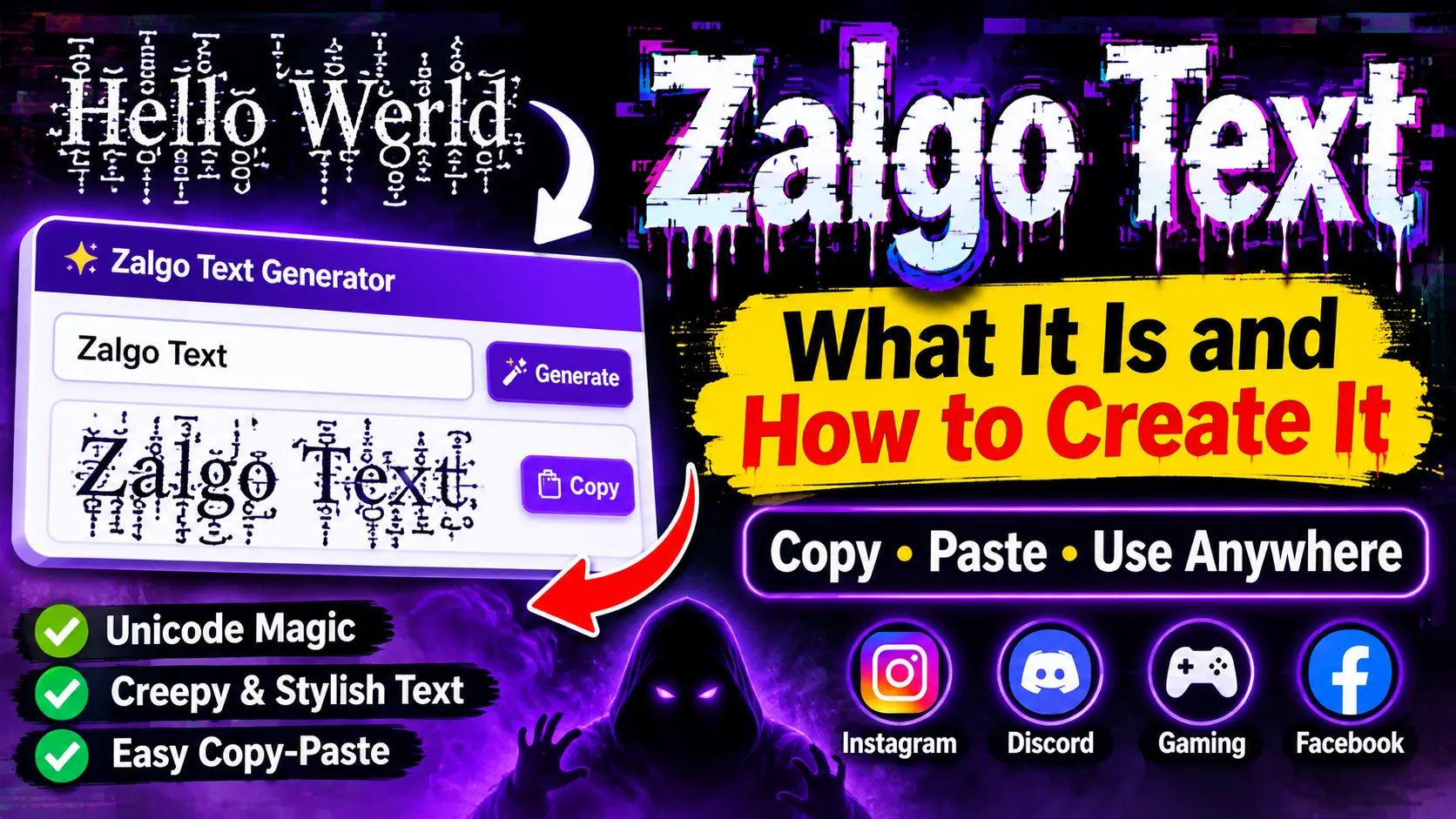
Zalgo text is a creative text style made by adding Unicode combining characters to regular letters. These extra marks create a glitchy, corrupted appearance without turning the text into an image.
Whether you want to create creepy messages, decorate a gaming username, or experiment with unusual text styles, understanding how Zalgo text works can help you use it more effectively.
In this guide, you will learn what Zalgo text is, how Unicode characters create the effect, where you can use it, and how to copy, paste, or remove it.
What Is Zalgo Text?
Zalgo text is ordinary text decorated with multiple Unicode combining marks that appear above, through, and below letters. These marks create a distorted appearance that looks chaotic, creepy, or glitch-like.
For example:
Normal Text:
Hello World
Zalgo Text:
H̷̬̍e̸̩͝l̴̰̚l̷̥̄o̸̪͝ W̷̬̍o̸̩͝r̴̰̚l̷̥̄d̸̪͝
Unlike traditional fonts, Zalgo text does not replace your original letters with a different typeface. Instead, it adds extra Unicode characters around the existing letters.
This makes it possible to copy and paste Zalgo text into many applications that support Unicode characters.
How Does Zalgo Text Work?
Zalgo text works through Unicode combining marks. These are special characters designed to attach to another character rather than behave like independent letters.
For example, some combining marks are normally used to add accents to letters in different languages.
When several combining marks are placed after one letter, they can appear stacked on top of each other. This creates the unusual visual effect associated with Zalgo text.
There are three main positions used to create this effect:
1. Above the Letters
Above marks appear over normal letters. When several marks are stacked together, they make the text look as if it is growing upward.
Example:
N̍͂͗o̿̐͆r̍͛m̋a̍l̎
2. Through the Letters
Middle marks appear across or through the original characters. They create a scratched, crossed, or corrupted appearance.
Example:
G̸l̷i̶t̵c̸h̷
3. Below the Letters
Below marks appear underneath the original characters. They can make the text look as if it is melting or dripping downward.
Example:
C̖̗r̘̙e̜̝e̞̟p̠y
Combining all three positions produces the classic Zalgo effect.
| Mark Position | Visual Effect | Common Use |
|---|---|---|
| Above | Marks rise over letters | Creepy messages |
| Middle | Marks cross the letters | Glitch effects |
| Below | Marks hang under letters | Melting text |
| All Three | Distorted appearance | Horror-style text |
Zalgo Text Examples You Can Copy and Paste
Want to try different Zalgo styles? Here are a few examples you can copy and experiment with.
1. Light Zalgo Text
H̍e̎l̍l̎o̍
2. Medium Zalgo Text
H̷̍e̸͝l̴̚l̷̄o̸͝
3. Heavy Zalgo Text
H̷̬̍͜e̸̩̥͝l̴̰̬̚l̷̥̯̄o̸̪̞͝
4. Creepy Zalgo Text
T̷h̴e̵ V̸o̷i̶d̴
5. Glitch-Style Text
S̸Y̷S̶T̴E̷M̸ E̵R̶R̷O̴R̸
6. Horror-Style Text
D̷o̴ n̵o̸t̷ l̶o̴o̵k̷ b̸e̶h̴i̵n̷d̶ y̸o̵u̷
You can copy these examples and test how they appear on different devices and platforms.
How to Create Zalgo Text
Creating Zalgo text is simple. You do not need to install a special font or download additional software.
Follow these steps:
- Choose the normal text you want to transform.
- Open a Zalgo text generator that supports Unicode combining marks.
- Enter your words into the input box.
- Select the intensity of the effect.
- Choose whether the marks should appear above, through, or below the letters.
- Generate your Zalgo text.
- Click the Copy button to copy the result.
- Paste it into your preferred application or social media platform.
Tip: Start with a light or medium effect if you want people to read your message easily. Heavy Zalgo text can become difficult to understand.
Where Can You Use Zalgo Text?
Zalgo text is mainly used for creative decoration, entertainment, and unusual visual effects.
Here are some popular ways to experiment with it.
Social Media Profiles
You can use Zalgo text to give certain words in your social media profile a mysterious or unusual appearance.
For example, you can experiment with short phrases in Instagram bios, Facebook posts, and TikTok captions.
However, some platforms may remove or restrict unusual combining characters.
Discord Messages and Usernames
Discord users sometimes experiment with glitch and creepy text styles to create unusual messages or profile decorations.
Short Zalgo phrases can be more practical than heavily distorted usernames because username rules and character limits may restrict the result.
Gaming Usernames
Zalgo text can give gaming names a horror-inspired or corrupted appearance.
For example:
- G̷h̴o̵s̶t̷
- D̸a̷r̶k̴
- V̷o̸i̶d̵
- S̴h̷a̶d̸o̵w̷
Before using one in a game, check its username rules. Some games do not accept combining marks.
Creative Messages and Horror Content
Writers and content creators can use Zalgo text to create a creepy atmosphere in fictional messages, horror-themed posts, and digital artwork.
It is particularly useful for short phrases where the unusual appearance matters more than readability.
Is Zalgo Text a Real Font?
No, Zalgo text is not a traditional font.
A font changes how characters are visually displayed, while Zalgo text adds Unicode combining marks to existing characters.
This is why Zalgo text can often be copied between applications without installing a special typeface.
However, the final appearance depends on the receiving device, font, browser, and application. The same text may look different on different platforms.
Why Does Zalgo Text Look Different on Different Devices?
Zalgo text does not always appear identical everywhere because different operating systems, fonts, browsers, and applications render Unicode combining marks differently.
Some applications display the marks correctly, while others may:
- Limit the number of combining characters.
- Remove unusual marks.
- Display missing character symbols.
- Cut off marks above or below the text.
- Change the spacing and appearance.
For the best results, test your copied text on the platform where you intend to use it.
How to Remove Zalgo Text and Convert It to Normal Text
Sometimes heavily distorted text becomes difficult to read. In that situation, a Zalgo text remover or Unicode text cleaner can help.
A basic cleaner removes selected combining marks while keeping the underlying letters.
For example:
Zalgo Text:
H̷̍e̸͝l̴̚l̷̄o̸͝
Normal Text:
Hello
To clean Zalgo text:
- Copy the distorted text.
- Open a Unicode combining-mark cleaner.
- Paste the Zalgo text into the input field.
- Select the remove or clean option.
- Copy the cleaned result.
Keep in mind that a basic remover may not recognize every Unicode combining mark. Some cleaners can also remove legitimate accents from certain languages, so always check the result.
Is Zalgo Text Safe to Use?
Zalgo text is generally a decorative text effect, not a virus, software, or executable file.
However, there are a few things worth considering before using it.
Readability: Heavy Zalgo effects can make words difficult to understand.
Character Limits: Each combining mark adds another Unicode character, so the final text may exceed a platform’s username or message limit.
Compatibility: Some applications remove or restrict unusual Unicode marks.
Accessibility: Screen readers may announce combining marks individually or interpret heavily decorated text unpredictably.
For these reasons, use Zalgo text for short decorative phrases rather than important messages, instructions, website content, or accessibility-related text.
Zalgo Text vs. Glitch Text: What’s the Difference?
Zalgo text and glitch text are closely related, but they do not always look the same.
Glitch text is a broad term for text that appears visually distorted or corrupted. Zalgo is one particular style that uses stacked Unicode combining marks.
| Feature | Zalgo Text | Glitch Text |
|---|---|---|
| Appearance | Marks extend above and below letters | Distorted or broken appearance |
| Characters | Unicode combining marks | Various Unicode characters and effects |
| Readability | Can become difficult to read | Depends on the style |
| Common Use | Horror and creepy messages | Digital and futuristic designs |
| Copy and Paste | Often possible | Depends on the characters used |
Both styles can create interesting visual effects, but Zalgo is especially recognizable because of its stacked marks.
Frequently Asked Questions About Zalgo Text
Zalgo is the name associated with an internet horror meme that became popular through corrupted comic images and creepy text. Today, the term commonly describes distorted text made with Unicode combining marks.
No. Zalgo text is not a separate font. It uses Unicode combining characters added to normal letters to create a distorted visual effect.
Yes. Zalgo text can usually be copied and pasted into applications that support the Unicode characters used to create it. However, some platforms may restrict or remove certain marks.
Zalgo text may work in some Instagram text fields, including certain profile and caption areas. However, compatibility is not guaranteed, and heavily decorated text may be restricted or displayed differently.
You can experiment with Zalgo text in Discord messages and supported profile fields. However, Discord’s username rules and character limits may prevent some heavily decorated text from being accepted.
Your device, browser, font, or application may not support all the combining marks in the same way. Try reducing the intensity or using fewer marks.
Yes. A Unicode text cleaner can remove selected combining marks and reveal the original letters. However, the result depends on which characters the cleaner recognizes.
Not exactly. Cursed text is a broader term for unusual or unsettling text styles. Zalgo text is one popular type of cursed-looking text.
Final Thoughts
Zalgo text is an interesting way to transform ordinary words into creepy, distorted, and glitch-inspired text. It works by stacking Unicode combining marks above, through, and below regular letters.
You can experiment with different intensity levels, copy your favorite examples, and use them in creative messages, gaming profiles, and social media posts where supported.
If you prefer readable and decorative styles instead of heavily distorted characters, try our Fancy Text Generator to explore stylish, cursive, bold, and other copy-and-paste text variations.