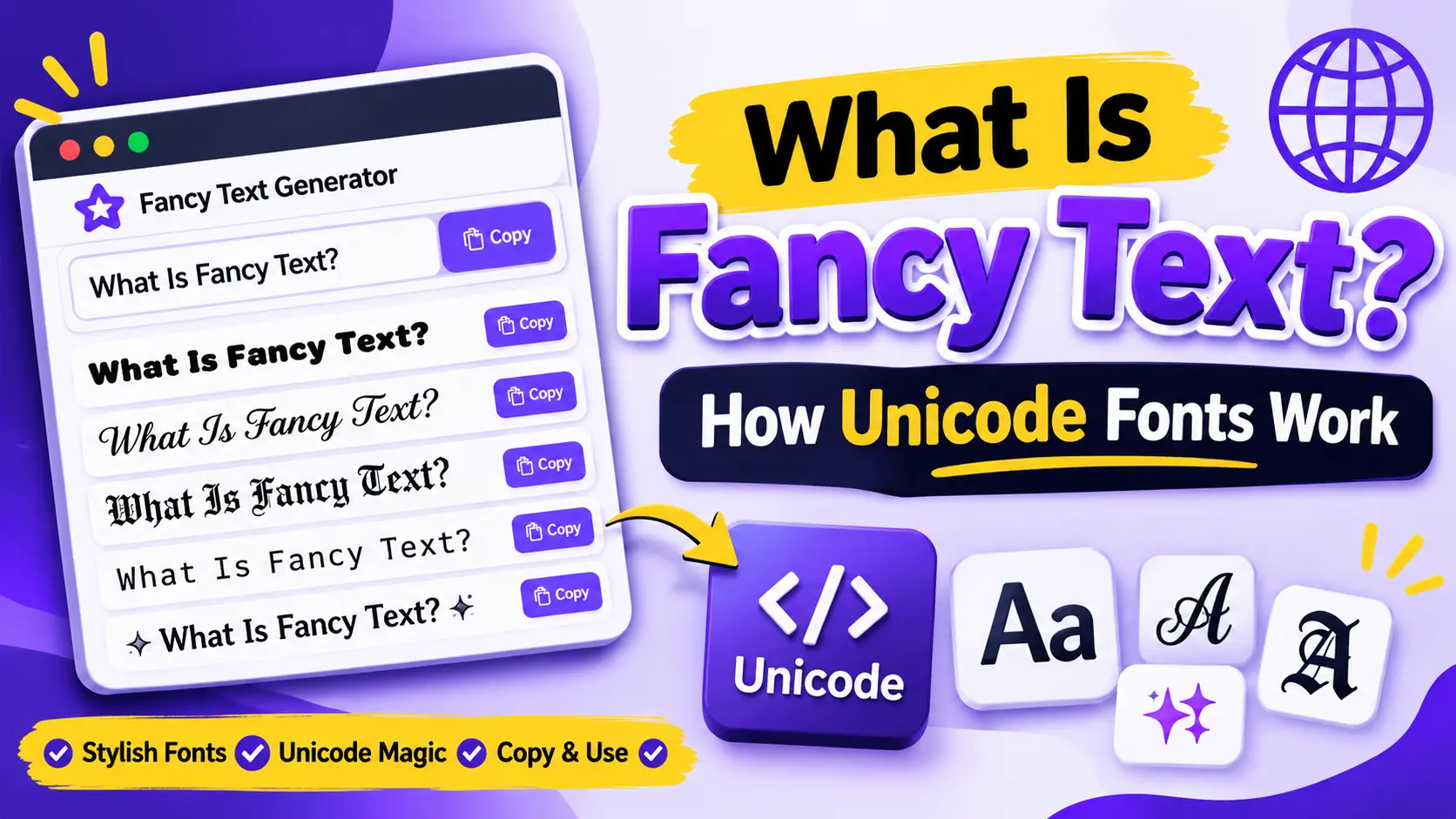
What Is Fancy Text? How Unicode Fonts Work
You may have seen social media profiles with bold names, cursive bios, gothic letters, or decorative text that looks different from ordinary writing. These designs are often called fancy text.
Fancy text is commonly used to personalize Instagram bios, usernames, captions, gaming profiles, and online messages. You can create it using an online fancy text generator without installing a special font on your device.
But how does it work? Are these actual fonts, or something different?
In this guide, you will learn what fancy text means, how Unicode characters create different styles, and why some designs may look different across devices.
What Is Fancy Text?
Fancy text is regular writing transformed into decorative characters or symbols. It can include bold-looking letters, cursive-style characters, circled letters, gothic designs, and other creative variations.
For example, the word Hello can appear in different styles:
- Regular: Hello
- Bold: 𝐇𝐞𝐥𝐥𝐨
- Italic: 𝘏𝘦𝘭𝘭𝘰
- Script: 𝓗𝓮𝓵𝓵𝓸
- Gothic: 𝕳𝖊𝖑𝖑𝖔
- Circled: Ⓗⓔⓛⓛⓞ
Each version gives the same word a different visual appearance.
How Does Fancy Text Work?
Most online fancy text generators use Unicode characters to create decorative text.
Unicode is a standard that assigns a unique code to characters used across writing systems, symbols, and special text styles. It helps computers and mobile devices recognize and process text consistently.
Some Unicode character sets include mathematical alphanumeric symbols that resemble bold, italic, script, or double-struck letters.
A fancy text generator matches the letters you type with available Unicode alternatives and displays the results so you can copy them.
Fancy Text vs Regular Fonts
Fancy text and traditional fonts are not exactly the same thing.
| Feature | Fancy Text | Regular Fonts |
|---|---|---|
| How it works | Uses special Unicode characters | Changes how standard characters look |
| Copy and paste | Often possible as text | Usually pastes as normal text |
| Installation | Usually not required | May require a font file or app |
| Platform support | Depends on character support | Depends on installed fonts |
| Common use | Bios, usernames, captions | Documents, websites, graphic design |
For example, selecting a bold font in a word processor changes the appearance of regular letters. A fancy text generator may replace those letters with different Unicode characters that look bold.
Popular Types of Fancy Text Styles
There are many decorative styles available online. Here are some commonly used examples.
| Style | Example | Common Use |
|---|---|---|
| Bold | 𝐅𝐚𝐧𝐜𝐲 𝐓𝐞𝐱𝐭 | Headings and bios |
| Italic | 𝘍𝘢𝘯𝘤𝘺 𝘛𝘦𝘹𝘵 | Quotes |
| Cursive | 𝓕𝓪𝓷𝓬𝔂 𝓣𝓮𝔁𝓽 | Elegant profiles |
| Gothic | 𝕱𝖆𝖓𝖈𝖞 𝕿𝖊𝖝𝖙 | Gaming names |
| Bubble | Ⓕⓐⓝⓒⓨ Ⓣⓔⓧⓣ | Playful messages |
| Small Caps | ꜰᴀɴᴄʏ ᴛᴇxᴛ | Minimal bios |
| Monospace | 𝙵𝚊𝚗𝚌𝚢 𝚃𝚎𝚡𝚝 | Technical appearance |
| Double Struck | 𝔽𝕒𝕟𝕔𝕪 𝕋𝕖𝕩𝕥 | Decorative headings |
The availability of specific characters depends on the text you enter and the Unicode characters supported by the generator.
How to Create Fancy Text Online
You can create decorative text using a simple browser-based tool.
- Visit the Fancy Text Generator.
- Enter a word, name, or sentence.
- Browse the generated text styles.
- Select your favorite design.
- Click the Copy button.
- Paste the result into a supported app or website.
You can repeat the process to compare different designs before choosing one.
Where Can You Use Fancy Text?
Fancy text is useful in different online spaces where decorative characters are supported.
Social Media Profiles
You can use stylish text in Instagram bios, Facebook profiles, and other profile descriptions to add a personal touch.
Captions and Messages
Decorative text can highlight a short phrase or selected words in social media captions and messages.
Gaming Usernames
Some gamers use bold, gothic, or decorative characters to personalize their display names. However, each game has its own character restrictions.
Online Communities
You may also use Unicode text in supported forums, chat applications, and community profiles.
Why Does Fancy Text Look Different on Some Devices?
Fancy text does not always look identical everywhere. A device, browser, or app needs to support the Unicode characters used in the design.
If a platform does not recognize a character, it may show an empty box, question mark, or replacement symbol.
Here are a few common reasons:
- The device does not have support for a particular character.
- The app uses a font that cannot display the character.
- The platform restricts certain Unicode symbols.
- An older operating system has limited character support.
To avoid problems, test your text in the app where you want to use it. Simple styles are often easier to read and more widely supported.
Is Fancy Text Safe to Copy and Paste?
Unicode text itself is a standard way of representing characters. However, you should still use trusted websites when creating or copying text.
Remember that decorative characters can sometimes make words harder to read or search. Avoid using fancy text for important information, passwords, or content that needs to be accessible to everyone.
Frequently Asked Questions
A fancy text generator is an online tool that transforms regular writing into decorative Unicode text styles. You can copy the generated characters and paste them into supported platforms.
No. Traditional fonts change the appearance of standard characters. Many fancy text generators use alternative Unicode characters that can be copied as text.
No. Support depends on the device, operating system, browser, and app. Some characters may appear differently or fail to display.
Many Unicode styles can be used in Instagram bios and other text areas. However, some characters may not display as expected, so preview your text before saving..
Usually not. Most modern devices already support many Unicode characters. A browser-based generator can create the text for you.
Many online fancy text generators are free to use. You can create different text styles and copy them without installing a font application
Try a Free Fancy Text Generator
Fancy text is a simple way to personalize your online writing. By understanding how Unicode characters work, you can choose styles that look good and display correctly on your preferred platforms.
Visit our free Fancy Text Generator to type your own words, explore different designs, and copy your favorite style.