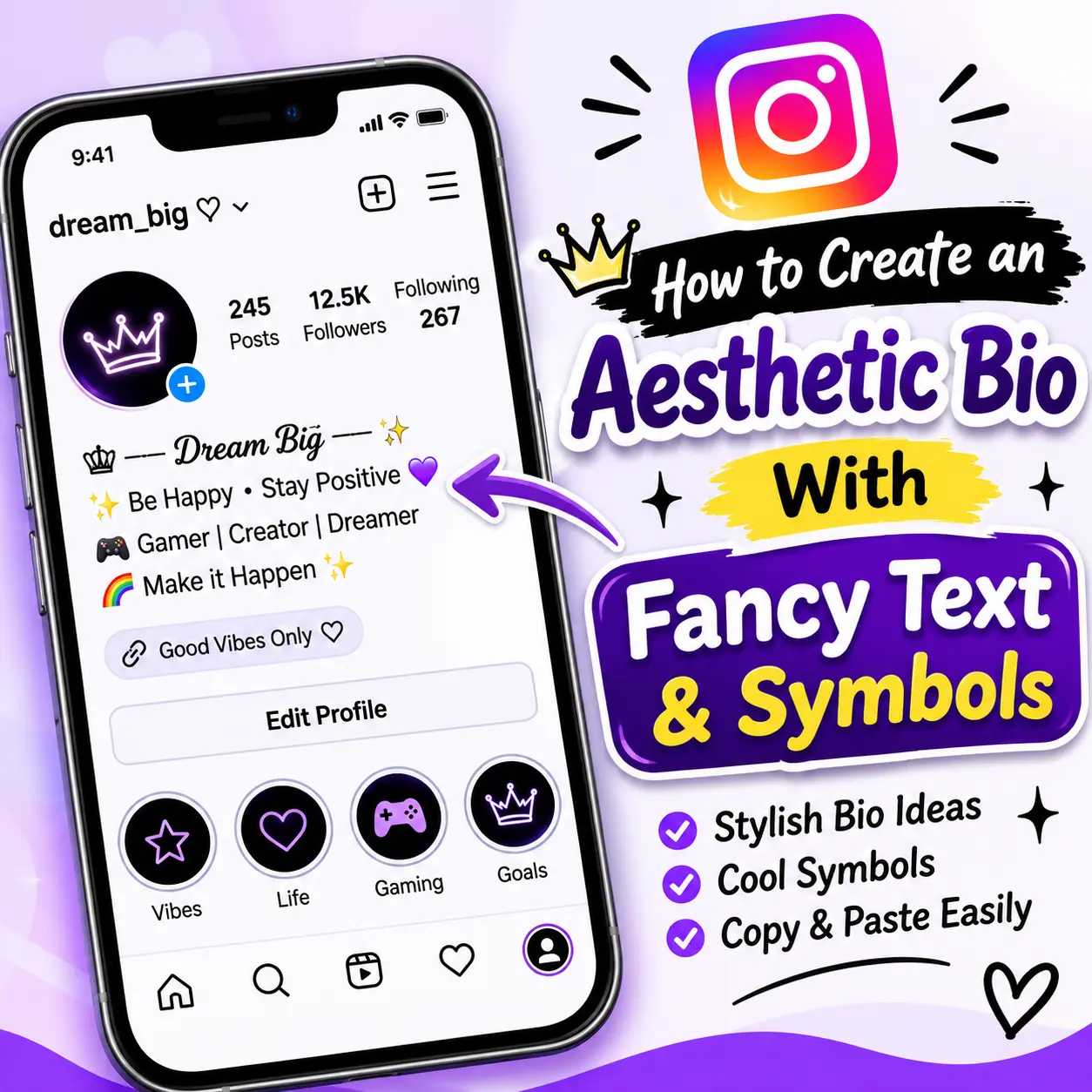
How to Create an Aesthetic Bio With Fancy Text and Symbols
Your social media bio is a small space where you can introduce yourself and show a little personality. A few carefully chosen words, decorative symbols, and stylish letters can make your profile feel more personal.
Whether you prefer a minimal look, cute text, or an elegant style, you can create an aesthetic bio without using a complicated design app.
An online fancy text generator lets you turn ordinary words into decorative Unicode text that you can copy and paste into supported social media apps.
In this guide, you will find aesthetic bio ideas, text styles, and simple steps to create your own profile design.
What Is an Aesthetic Bio?
An aesthetic bio is a short profile description designed to reflect your interests, personality, or style. It may include a short introduction, decorative text, emojis, or symbols.
For example:
- 𝒟𝓇𝑒𝒶𝓂 𝒷𝒾𝑔 ✨
- ☁️ Living my own story
- ᴄʀᴇᴀᴛɪɴɢ ᴍʏ ᴏᴡɴ ᴘᴀᴛʜ
- ♡ Simple things, happy life
- 𝓢𝓽𝓪𝔂 𝓹𝓸𝓼𝓲𝓽𝓲𝓿𝓮
The goal is to make your bio look attractive while keeping it easy to understand.
Best Fancy Text Styles for an Aesthetic Bio
You can use different Unicode styles depending on the mood you want to create.
| Style | Example | Suitable For |
|---|---|---|
| Cursive | 𝓓𝓻𝓮𝓪𝓶𝓮𝓻 | Elegant bios |
| Bold | 𝐒𝐭𝐚𝐲 𝐏𝐨𝐬𝐢𝐭𝐢𝐯𝐞 | Important words |
| Italic | 𝘓𝘪𝘷𝘦 𝘍𝘳𝘦𝘦 | Quotes |
| Small Caps | ʟɪᴠᴇ ʏᴏᴜʀ ᴅʀᴇᴀᴍ | Minimal profiles |
| Bubble | ⓗⓐⓟⓟⓨ ⓛⓘⓕⓔ | Cute bios |
| Double Struck | 𝔻𝕣𝕖𝕒𝕞 𝔹𝕚𝕘 | Creative headings |
You do not need to use several styles together. One or two complementary styles are often enough.
Aesthetic Bio Ideas You Can Copy
Here are some short examples to help you get started.
Simple Aesthetic Bios
- Living one day at a time
- Making memories, not excuses
- Less perfection, more happiness
- Creating my own sunshine ☀️
Cute Aesthetic Bios
- ♡ Smiles and little dreams
- 🌷 Just being myself
- ☁️ Sweet moments, happy heart
- ୨୧ Stay kind and lovely
Minimal Aesthetic Bios
- ᴍᴀᴋᴇ ɪᴛ ᴄᴏᴜɴᴛ
- ᴘᴇᴀᴄᴇ ᴏᴠᴇʀ ᴘᴇʀꜰᴇᴄᴛɪᴏɴ
- ᴊᴜꜱᴛ ʙᴇ ʏᴏᴜ
- ʟɪᴠᴇ ᴡɪᴛʜ ᴘᴜʀᴘᴏꜱᴇ
Elegant Aesthetic Bios
- 𝓒𝓱𝓪𝓼𝓲𝓷𝓰 𝓭𝓻𝓮𝓪𝓶𝓼
- 𝒮𝓉𝒶𝓎 𝒸𝓁𝒶𝓈𝓈𝓎
- 𝓜𝓪𝓴𝓮 𝓮𝓿𝓮𝓻𝔂 𝓭𝓪𝔂 𝓬𝓸𝓾𝓷𝓽
Use these as inspiration and adjust the wording to match your own personality.
How to Create an Aesthetic Bio With Fancy Text
Follow these simple steps:
- Open the Fancy Text Generator.
- Type the words you want to use in your bio.
- Explore cursive, bold, cute, and other text styles.
- Select the design that matches your profile.
- Click Copy.
- Open Instagram or another social media app.
- Edit your profile and paste the text into your bio.
Before saving, check that your bio is readable and fits the platform’s character limit.
Symbols That Can Make Your Bio Look More Creative
Decorative symbols can add small visual details to a profile. Here are some examples:
| Symbol Type | Examples | Common Use |
|---|---|---|
| Hearts | ♡ ♥ ღ | Cute bios |
| Stars | ✦ ✧ ★ ☆ | Decorative details |
| Flowers | ❀ ✿ ❁ | Soft aesthetic |
| Clouds | ☁ ☾ | Dreamy themes |
| Arrows | → ➜ ↠ | Separating details |
| Decorative | ୨୧ ꧁ ꧂ | Profile decoration |
Use symbols in moderation. Too many decorative characters can make your bio difficult to read.
Tips for a Clean and Attractive Social Media Bio
Keep Your Message Short
A bio should tell visitors something useful about you. Avoid filling every available space with decorative text.
Choose Readable Fonts
Some Unicode styles are difficult to read, especially on small mobile screens. Test your selected text before publishing.
Use Matching Symbols
Choose symbols that complement your text rather than distracting from it.
Make It Personal
A bio does not need to follow a trend. Use words that reflect your interests, hobbies, or personality.
Check Platform Compatibility
Different platforms support different characters and may display them differently. Always preview your bio after pasting it
Frequently Asked Questions
Use a short introduction, a readable decorative text style, and a few matching symbols. Keep the overall design simple and personal.
Enter your text into an online fancy text generator, select a style, click Copy, and paste it into your social media bio.
Cursive, small caps, italic, and simple bold styles are useful options. Choose one that matches your profile’s overall appearance.
Instagram supports many common symbols and Unicode characters, but not every character will display correctly on every device.
No. A browser-based fancy text generator can create decorative Unicode text without requiring you to install an additional application.
Create Your Own Aesthetic Bio
A stylish bio does not need complicated designs. Start with a meaningful sentence, choose a text style, and add a few symbols if they suit your profile.
Visit our free Fancy Text Generator to explore creative text styles and make a bio that feels like your own.